Although issues with 2FA codes can be frustrating, they are a key part of how SIgnMeUp keeps your sensitive data secure. It is normally caused by one of a few simple things. If you have copied down your backup codes when you set up 2FA you can use one of these to gain access to your account and reset 2FA app.
If you are having difficulties with 2FA follow these troubleshooting steps:
Step 1
Make sure the SignMeUp account you are logging into corresponds to the account in the 2FA app you are copying codes from. This is particularly important if you use multiple SignMeUp accounts or use your app to generate codes for multiple websites
Step 2
Restart your phone of device where you have your 2FA app. This can fix issues where the codes have gotten out of sync.
Step 3
Make sure the time on your device is accurate. The device uses the time to generate codes and it needs to match the actual time for the codes to be valid.
Step 4
Try logging into SignMeUp using a private browser/incognito tab. If your codes work here, clear cookies and cache in your main browser. Instructions on how to do this for your specific browser can easily be searched for online
If none of the above worked, you will need to have 2FA removed from your SignMeUp account so that it can be reset.
Follow these steps:
Step 1
Sign-in to SignMeUp using a back up code. You should have copied these down from when you set up your 2FA on SignMeUp.
Step 2
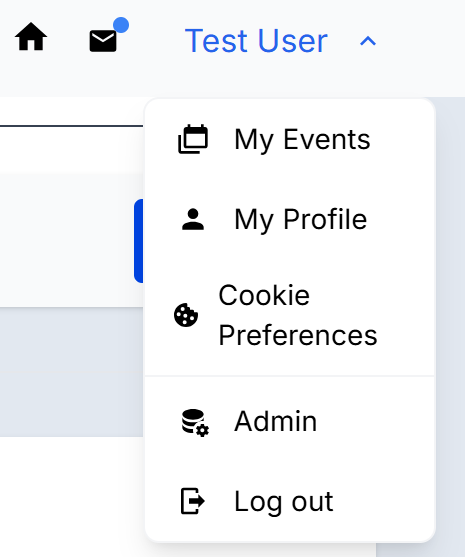
Go into your profile area
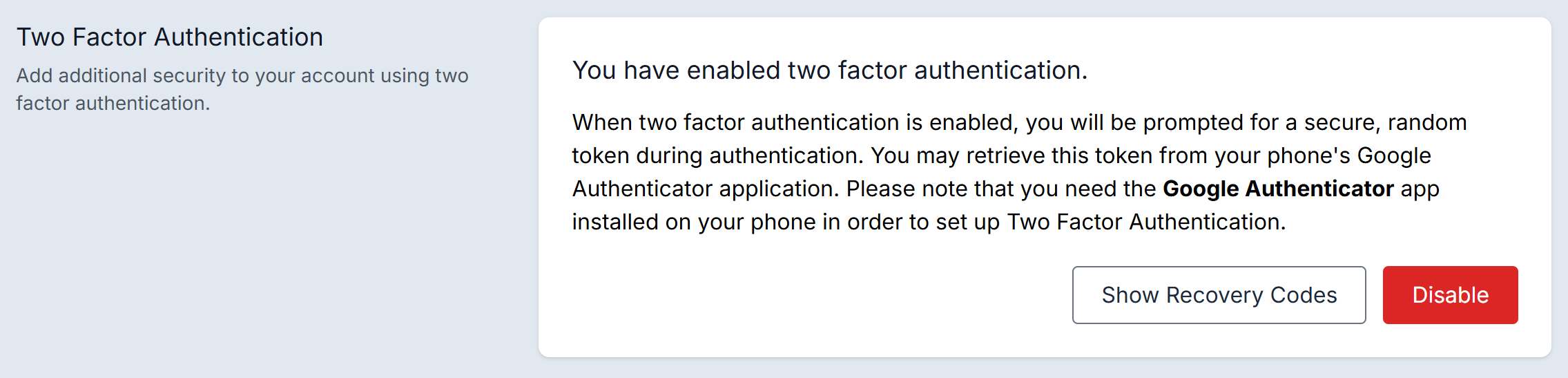
Scroll down to the 2FA section. Click 'disable'.
Step 3
You will be prompted to immediately set up 2FA for your account. Make sure you to so two key things: REMOVE the previous 2FA account and NOTE DOWN the back up codes shown in SignMeUp.
If you do not have your back up codes, you will need to contact SignMeUp support to have your 2FA temporarily removed from your account. Please note this can take some time and may involve an identity check.
Was this article helpful?
That’s Great!
Thank you for your feedback
Sorry! We couldn't be helpful
Thank you for your feedback
Feedback sent
We appreciate your effort and will try to fix the article